
How to Handle Tesla Trade-Ins at Your Dealership (Complete Guide)
Tesla trade-ins are becoming a regular part of dealership life. As Tesla owners move toward other brands (or simply upgrade) the ability to evaluate, recondition, and resell Tesla vehicles efficiently gives your store a competitive edge.
This detailed guide walks through each step of the Tesla trade-in process, from the first appraisal to final resale.
Start With a Tesla Battery Health Check
Battery condition determines more than just value - it defines trust in the sale.
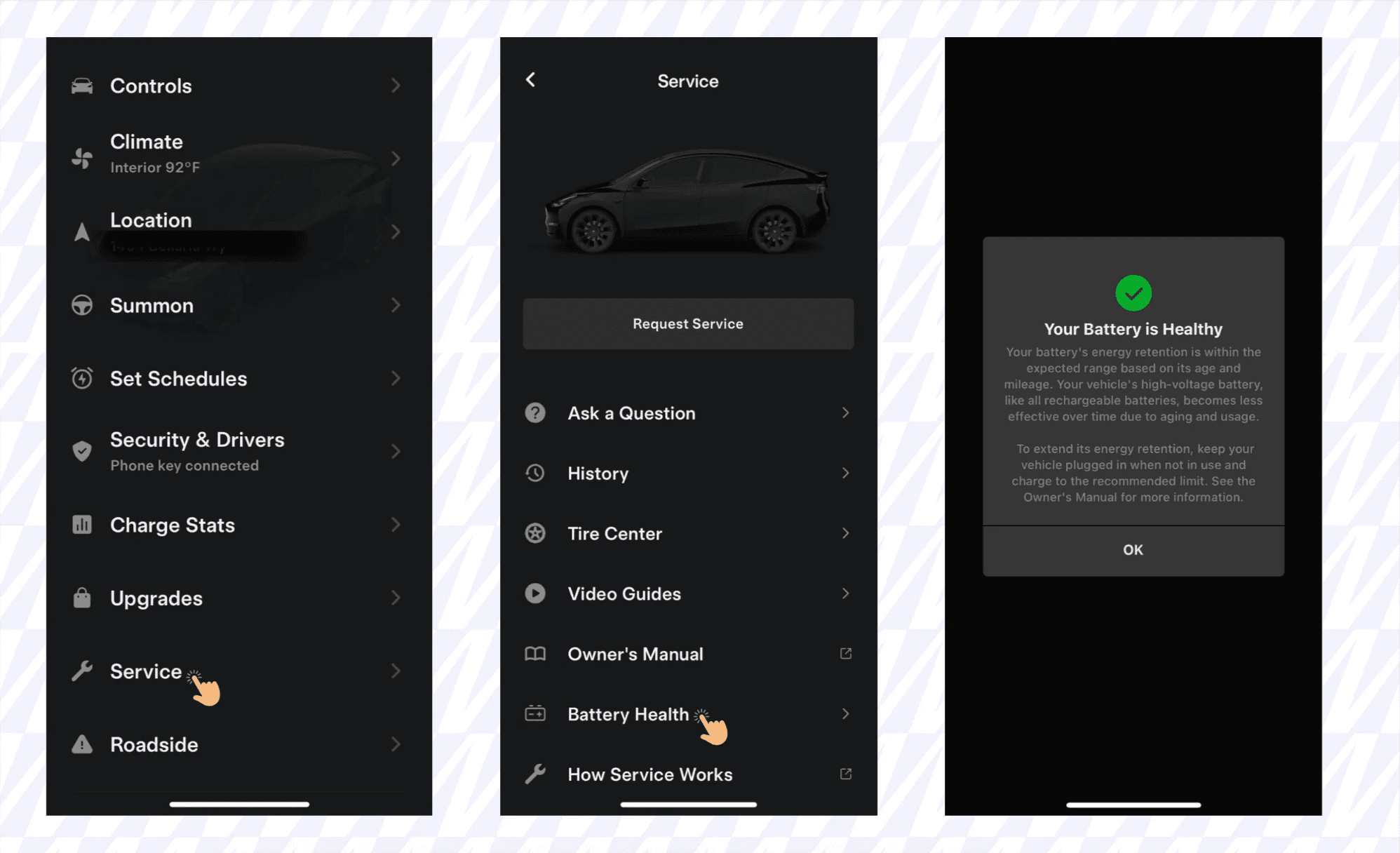
Every Tesla owner can view a Battery Health Check inside the Tesla mobile app, which provides a software-based overview of battery status based on age, mileage, and retention.
⚠️ This is a software-level check only.
For an accurate battery assessment, including degradation rates and warranty verification, schedule an appointment through:
Tesla App → Service → Request Service → Battery & Charging
Dealership tip: Always request the seller’s Tesla Battery Health Check screenshot or service report before pricing the trade. It’s your best defense against hidden battery degradation issues.
Confirm Full Self-Driving (FSD) Package and Transferability
Tesla’s Full Self-Driving (FSD) capability can add up to $10,000 in market value. But it doesn’t always transfer with the vehicle.
Here’s the checklist for verifying FSD status:
Check inside the Tesla App
Go to Software → Upgrades
Look for Full Self-Driving Capability or Enhanced Autopilot
Confirm if the subscription is monthly or permanent
Verify with Tesla Support
Contact Tesla with the VIN to confirm if FSD remains with the vehicle after resale.
Have the seller sign confirmation
A written statement from the owner confirming FSD stays with the car avoids future disputes.
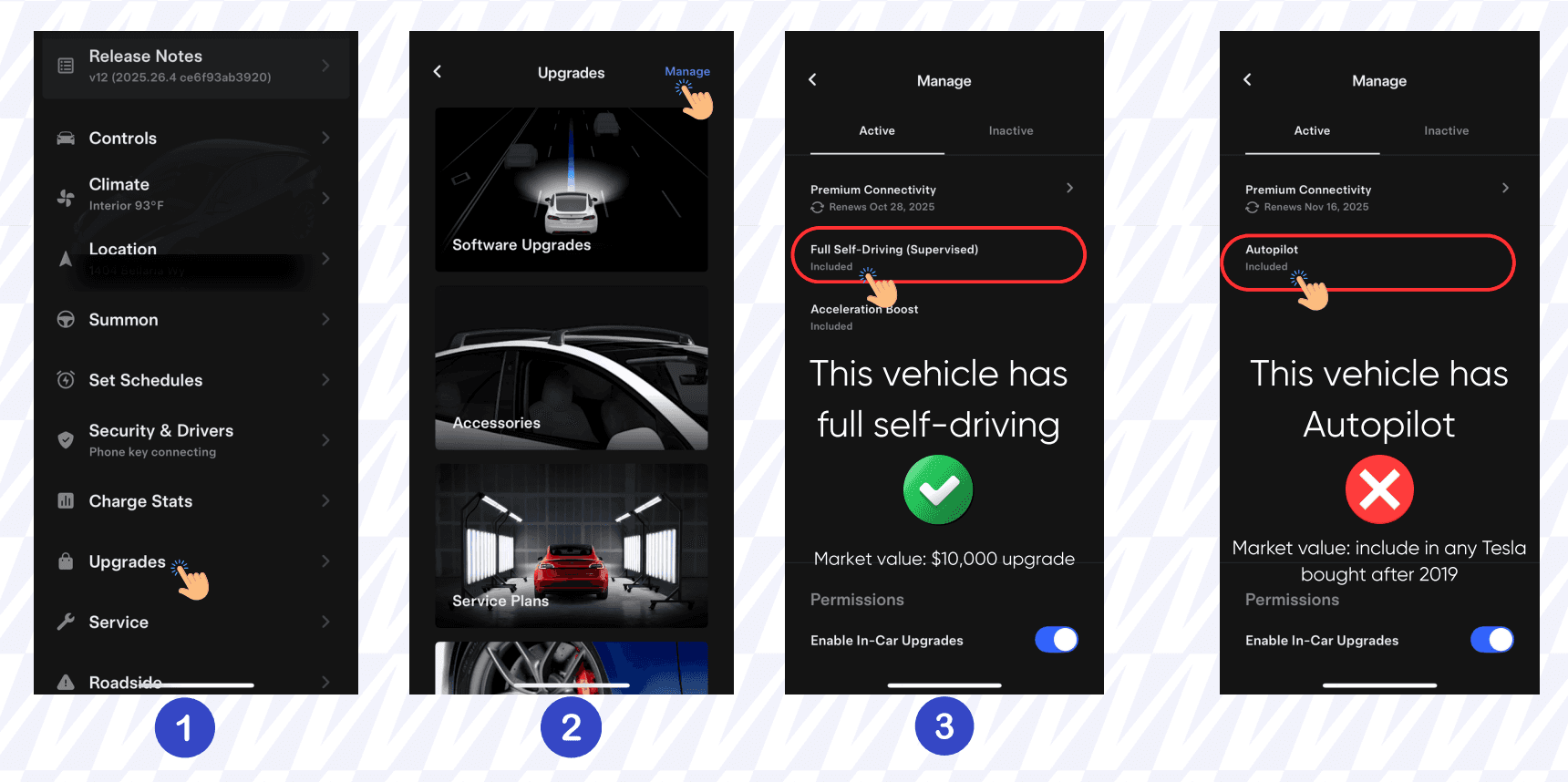
Pro tip: FSD subscriptions have expiration dates—always note them before listing the vehicle.
Transfer Tesla Ownership Correctly
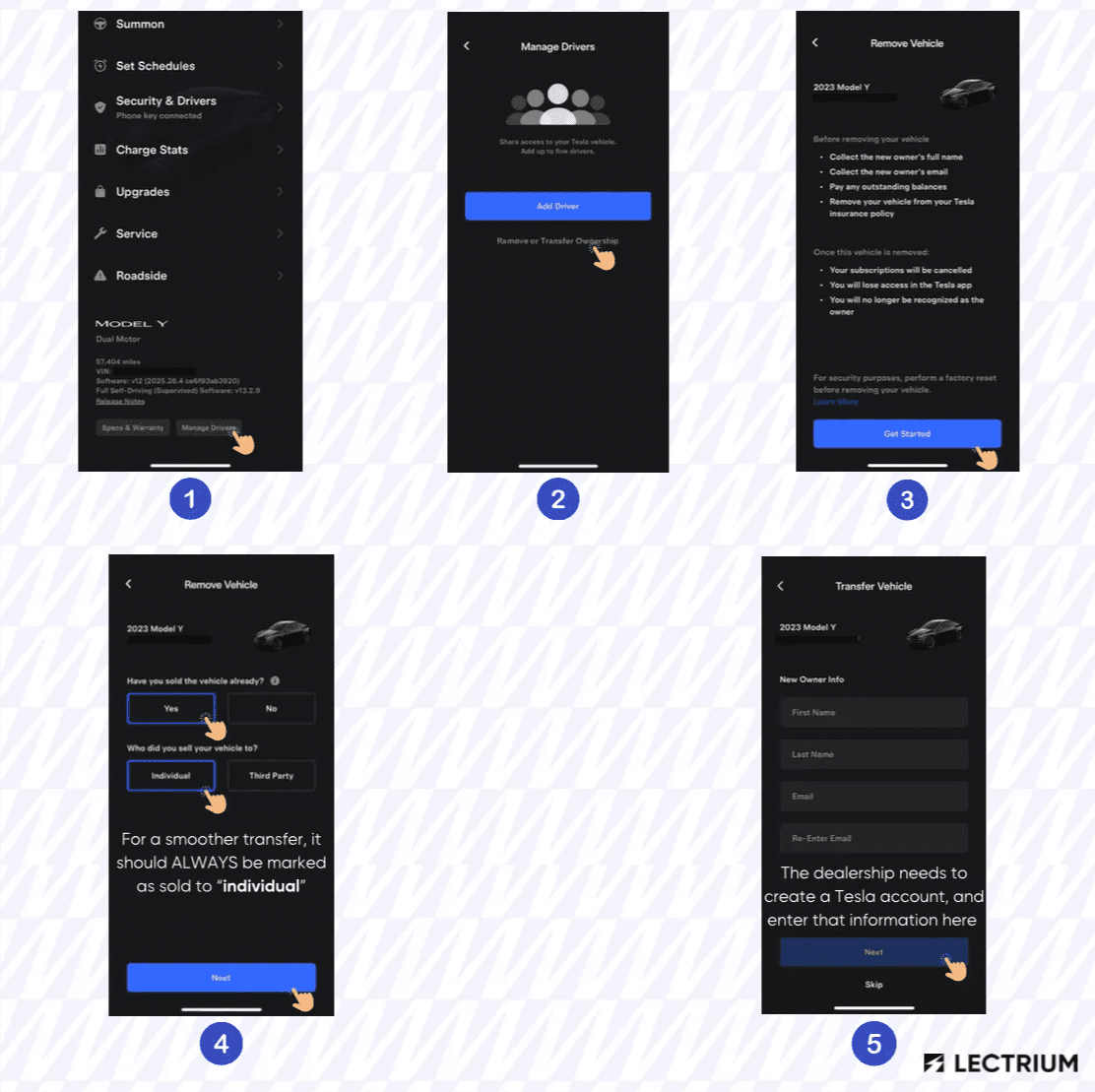
Unlike other OEMs, Tesla uses an app-based ownership transfer process.
This is crucial because without ownership, the dealership can’t access service scheduling, app data, or vehicle software updates.
Tesla Ownership Transfer Steps
Seller → Dealership
Seller initiates transfer in the Tesla app and marks the car as sold to an individual.
Dealership → New Owner
After recon and resale, dealership transfers ownership to the buyer using its own Tesla account credentials.
This ensures a clean chain of ownership, uninterrupted software access, and seamless re-registration in Tesla’s system.
Schedule Recon and Tesla Service the Right Way
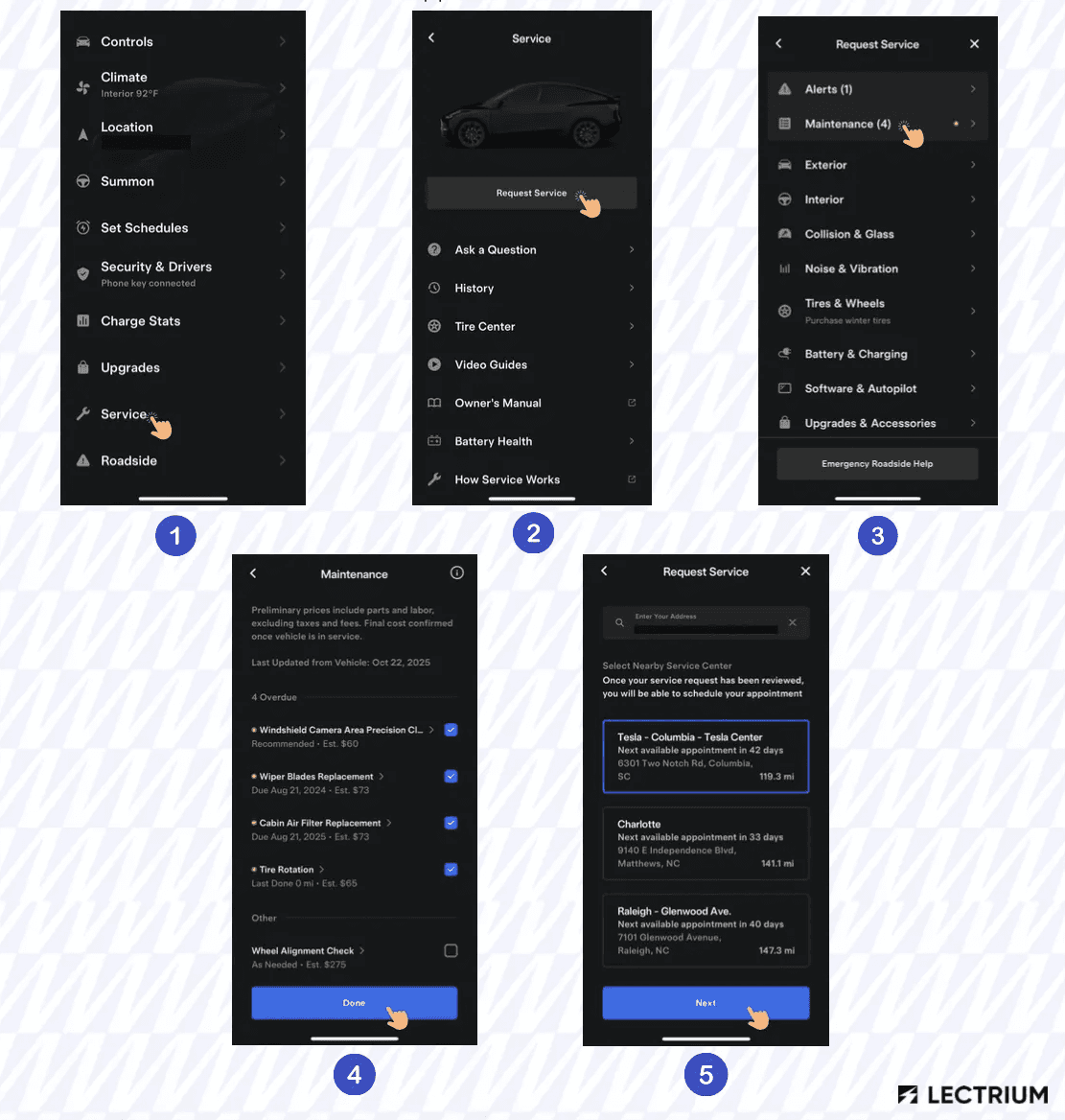
Once ownership is transferred, your service department can schedule Tesla reconditioning directly through the app.
Steps:
Open Tesla App → Service → Request Service
Select the needed category (battery, tires, software, cosmetic)
Book the appointment at your nearest Tesla Service Center
Until the vehicle is officially linked to your dealership account, Tesla will not accept service requests.
Why it matters: Completing this step quickly shortens turn-around times and improves resale readiness.
Boost Trust and Resale Value
Dealerships following the Tesla-specific intake process gain:
More accurate appraisals
Faster recon cycles
Reduced legal or software disputes
Higher buyer confidence from verified EV data
A smooth Tesla trade-in process reflects well on your dealership’s expertise with electrified vehicles (something more and more buyers are now expecting).
Offer Verified Battery Certificates for Used EVs
As the used EV market matures, battery transparency is becoming the new standard.
Dealers who can show a verifiable battery health certificate build immediate trust with EV shoppers and protect resale value.
These certificates go beyond the in-app battery check — they use dedicated hardware and software diagnostics to evaluate real-world performance, capacity, and degradation across different driving conditions.
Instead of relying only on age or mileage, these reports provide objective data on how the battery actually behaves, helping your team justify trade values and giving customers peace of mind.
Lectrium is exploring ways to equip dealerships with the same testing technology - combining physical battery data with digital insights from our tools - to create a unified report that simplifies how EVs are appraised, merchandised, and sold online.
Take It a Step Further
Once your dealership accepts Tesla trades, make sure your website merchandising tells that story too.
Lectrium’s Electrified Dashboard helps highlight range, charging, and ownership savings directly on your VDPs, so that shoppers understand Tesla and other EVs at a glance.
➡ To see how these tools could look on your VDPs, schedule a demo with our team: https://lectrium.com/book-a-demo
Previous post:


